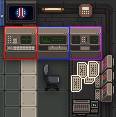
| Purple
|
Encryption Decoder Computer
|
This generates a challenge token from the current encryption stream.
- Use the "Decode Current Stream" button to generate the encryption challenge token.
- Click the print button at the top right to punch and print the challenge token onto a punchcard.
- OR manually enter the challenge token into the Cipher Computer's input by entering the decimal that corresponds to the desired hex.
|
| Blue
|
Encryption Cipher Computer
|
This decrypts codes using a cipher phrase to create an encoded challenge phrase.
- Insert the challenge token punchcard into the Cipher Computer.
- OR manually enter the challenge token in the top input section from the Decoder Computer.
- Use the less-than "<" and greater-than">" symbols to cycle through the options until you decipher the challenge token.
- If you inserted a punchcard and none of the settings create a word, then there may be a character that was incorrectly punched as a zero. This results in you almost getting a word, but having one letter (the erroneous zero) wrong. You can fix this by clicking and dragging up or down on the mispunched zero to adjust it to its proper value or manually entering the correct value.
- Once you have found the cipher word, note the "cipher setting," which will be a number between 0 and 26.
- Use the print button at the top right to print the output of the deciphered challenge token onto a punchcard.
- OR manually transfer the output to the Encoder Computer.
|
| Red
|
Encryption Encoder Computer

|
This uploads encoded phrases to restore announcement clarity.
- Insert the deciphered challenge token punchcard into the Encoder Computer.
- OR manually enter in the Cipher Computer's output.
- Set the nob on the left to the "cipher setting" from the Cipher Computer.
- Use the "Submit New Encoding" button to test your decrypted challenge token.
- If your "PING" generates a "PONG," then announcement clarity has been restored to 95%.
- If your "PING" only generates a partial "PONG," then too much time has passed, and your token is partially out of date, but announcement clarity has been partially restored.
- If you input a deciphered challenge token punchcard, then there is a chance that one character was incorrectly punched as a zero. This will cause your PING to fail. You can fix this by clicking and dragging up or down on the mispunched zero to adjust it to its proper value or manually entering the correct value.
|
| White
|
Punchcards
|
- The Decoder and Cipher Computers each start loaded with 10 punchcards.
- Four punch card stacks are on the table in front of the computers, each stack contains five punchcards.
- More punchcard stacks can be found on the ground by Intelligence Officers.
|